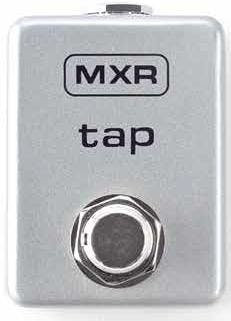
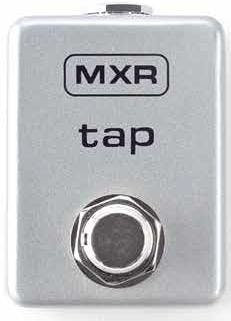
MXR M199 Tap Tempo

£47.99

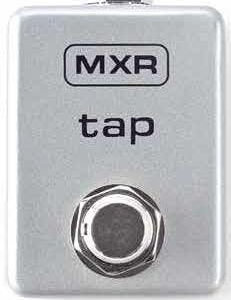
This is a New MXR M199 Tap Tempo from MXR, listed in Specialist Effects Pedals on Just Pedals. Read More below.

View Just
more
and

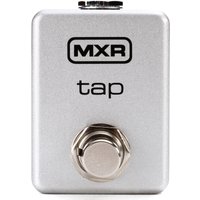
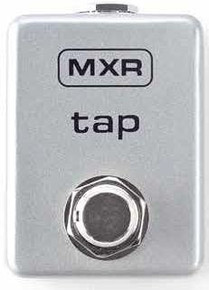
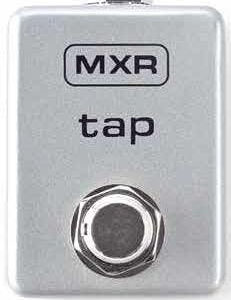
The MXR Tap Tempo switch features adjustable tip/ring configuration so you can control the delay time of a wide variety of delay pedal types. This pint-sized footswitch is ruggedly built for a lifetime on the road.

DIRECTIONS

Run an instrument cable from your pedal’s external switch jack to the M199’s INPUT jack. The EP103 Echoplex® Delay only requires a normal instrument cable when connected to the M199, but other pedals may require a different type, such as a TRS cable. Consult your pedal’s manual to be sure. Tap your foot on the FOOTSWITCH to your desired tempo.

INTERNAL SWITCHES

The M199 is factory-set to work with the Echoplex Delay. Check your pedal’s user manual to see its tip/ring cable requirements.
To adjust the M199’s tip/ring setup, simply remove the bottom plate to access the M199’s internal switches. See Diagram A for switch configurations.

Specifications

  • Adjustable tip/ring configuration
  • Ruggedly built, road-ready construction
  • Can be used with a variety of pedal types
Related videos

Brand

MXR

In the current JustPedals catalogue, MXR is represented by Overdrive Pedals, Compressor Pedals and Chorus Pedals. Current listings include Bass Synth, M300 Reverb and M307 Layers. That makes the range relevant to players looking for drive, gain and clipping, plus time-based effects and ambience. Check each model for its exact circuit or processing platform, controls, power requirements and connections, particularly where the catalogue includes both pedals and supporting gear.

Category

Specialist Effects Pedals

Specialist effects alter the signal in ways that do not sit cleanly inside one established family. They may use granular processing, frequency shifting, resonators, freeze or sustain, bit reduction, ring modulation, feedback networks or combinations of several techniques. The relevant distinction is the underlying process, its tracking or latency, and how completely the dry signal can be blended or replaced.

Tags

Tap Tempo

Tap tempo lets a player set delay, modulation, tremolo or looper timing by tapping a footswitch. The implementation may be a dedicated switch, an external input, MIDI clock or a combination, and the supported timing divisions vary. Check whether the tempo is stored, whether tap is momentary or latching, how quickly the effect follows changes and which blocks respond. Tap tempo is useful only when the control connection and timing range match the workflow.