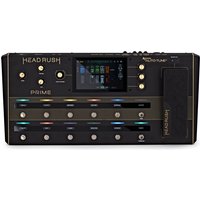
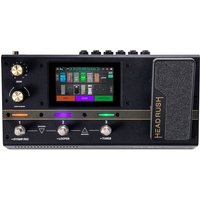
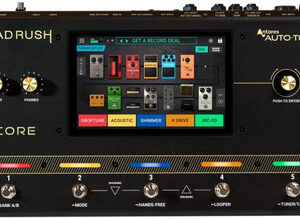
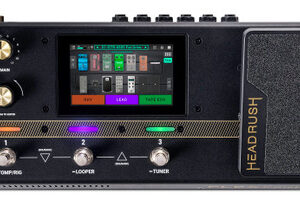
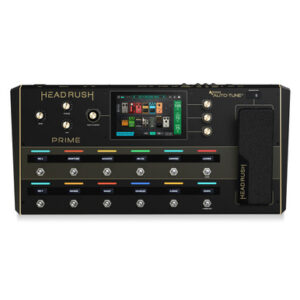
The HeadRush Flex Prime is a powerful portable multi-effects processor tailored for guitarists and bass players exploring diverse tones and setups. This all-in-one pedal offers a vast library of over 600 amps cabinets and effects that cover classic to experimental sounds all accessible via an intuitive 4-inch touchscreen. With built-in Wi-Fi users can browse and share presets from the HeadRush Cloud instantly expanding their tonal options. Included ReValver Amp Cloner software allows users to capture the essence of their favourite amps and pedals creating custom clones to match their ideal tone. And with USB connectivity for recording MIDI sync and reamping the Flex Prime integrates seamlessly into any studio or live setup making it an ideal solution for musicians ready to refine their sound. Neural Amp Modeler and TONE3000 support: The Headrush Prime now supports NAM and direct TONE3000 access through the HeadRush Cloud giving musicians a faster way to discover load build and perform with inspiring tones.
HeadRush Flex Prime Guitar Multi-FX and Amp Modeler
This is a New HeadRush Flex Prime Guitar Multi-FX and Amp Modeler from HeadRush its found in our Multi-Effects Pedals on the Just Pedals menu. Read More below.
As an affiliate partner, we may earn a small commission when you buy through our links — at no extra cost to you.

Brand
HeadRush
In the current JustPedals catalogue, HeadRush is represented by Vocal Effect Pedals and Multi-Effects Pedals. Current listings include Flex Prime Multi FX, PRIME and CORE. That makes the range relevant to players looking for modelling, direct rigs and multi-effects, plus vocal processing. Check each model for its exact circuit or processing platform, controls, power requirements and connections, particularly where the catalogue includes both pedals and supporting gear.
Category
Multi-Effects Pedals
A multi-effects processor combines several effect algorithms and signal-routing stages in one unit. Its sound depends not only on the individual models but on their order, parallel or serial routing, processing resolution and available control. Preset structure, switching gaps, foot control, expression assignment, amp or cabinet modelling, USB audio and MIDI determine how completely the processor can replace separate pedals.
Tags
Amp Simulator
Recreates the gain structure, tone controls, compression and frequency response of a guitar or bass amplifier. The simulation may model only a preamp or extend through power-amp behaviour, allowing the result to range from clean amplification to dynamically responsive breakup.
Bass
Voiced or equipped to retain low-frequency fundamentals and the higher headroom of a bass signal. Clean blends, crossovers and bass-specific filter ranges can preserve weight and articulation while the effected portion adds harmonics, movement or ambience.
MIDI
Sends, receives or responds to Musical Instrument Digital Interface messages rather than carrying the instrument audio itself. Program changes recall presets, continuous controllers move parameters, and MIDI clock or transport messages synchronise timing between devices.
Presets
Stores complete groups of parameter values for later recall. The number of locations, switching time, spillover behaviour and whether presets include routing, expression and MIDI assignments determine how completely one sound can change into another.
USB
Provides a Universal Serial Bus connection for power, audio, MIDI, firmware or editing data. The supported USB class and connector do not by themselves show its purpose; channel count, sample format, host compatibility and power demand define the actual function.